NodeGroup Usage Guide: CycleAcoustics Material
General
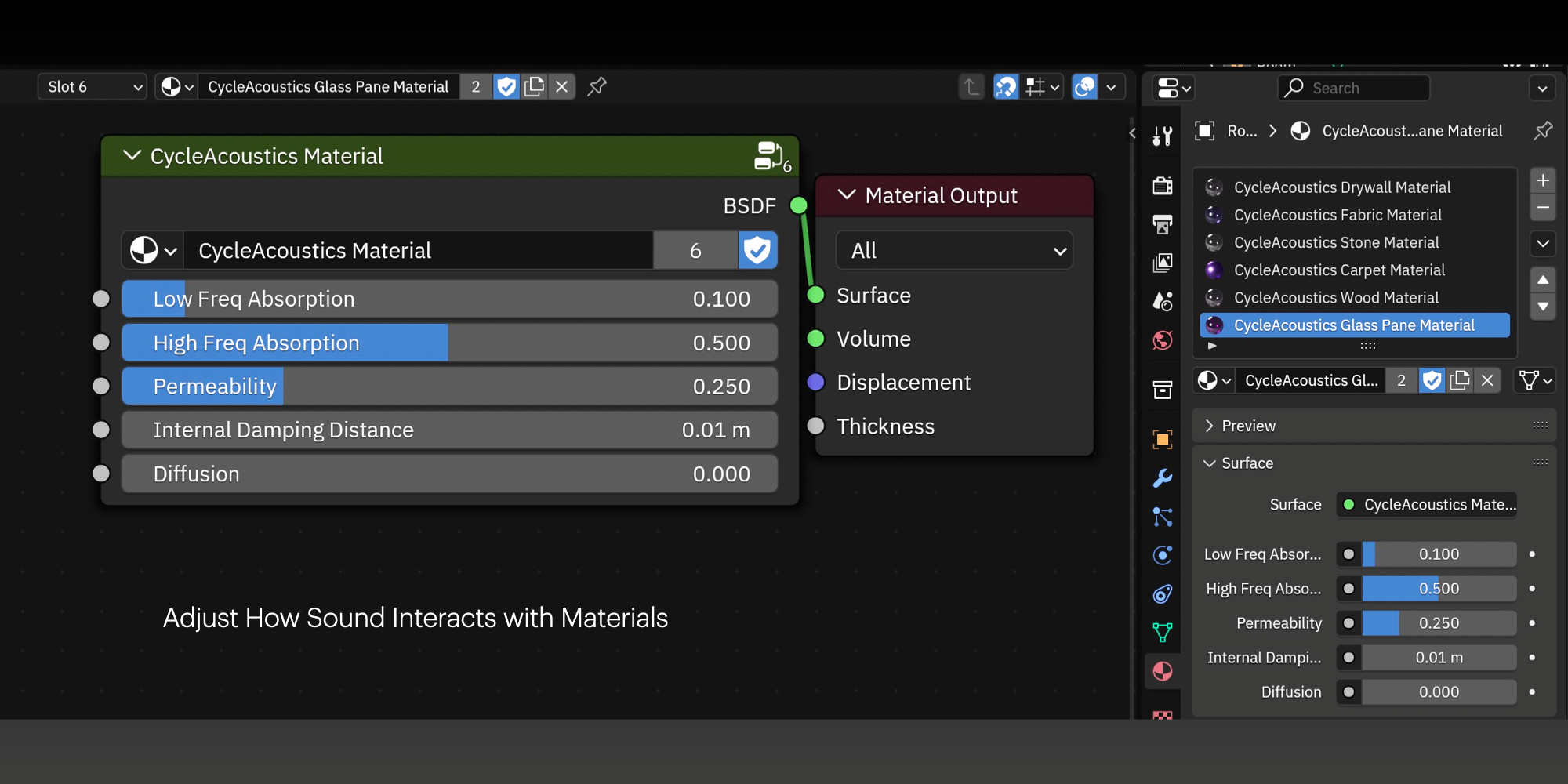
This material nodegroup is intended for use with the CycleAcoustics add-on for reverb impulse response generation.
CycleAcoustics Introduction Video
Controls
Low Freq Absorption
The proportion of low frequency sound energy not reflected off the surface. 0% means that the sound gets reflected at the same intensity as it hit the surface. 100% means no reflection.
High Freq Absorption
The proportion of high frequency sound energy not reflected off the surface. 0% means that the sound gets reflected at the same intensity as it hit the surface. 100% means no reflection.
Permeability
The proportion of sound energy transmitted through the surface upon contact. 0% means the sound is only reflected and never goes through the surface. 100% means the surface is just like air.
Internal Damping Distance
When leaving a material (which is when a sound ray passes through a surface with a backfacing normal), a the intensity of a “sound ray” is decreased based on how far the ray traveled in the interior of the material. This is to simulate how the thicker a wall is, the less sound can be heard through it. The “internal damping distance” is the distance in Blender Units at which the sound intensity is dampened by 50%. The dampening is exponential.
Diffusion
This setting simulates rough surfaces that scatter sound waves, such as carpets. The typical use case of this setting is when you have smooth or flat geometry with a bump/normal map on it that makes it look textured/rough.