NodeGroup Usage Guide: AgMax
General
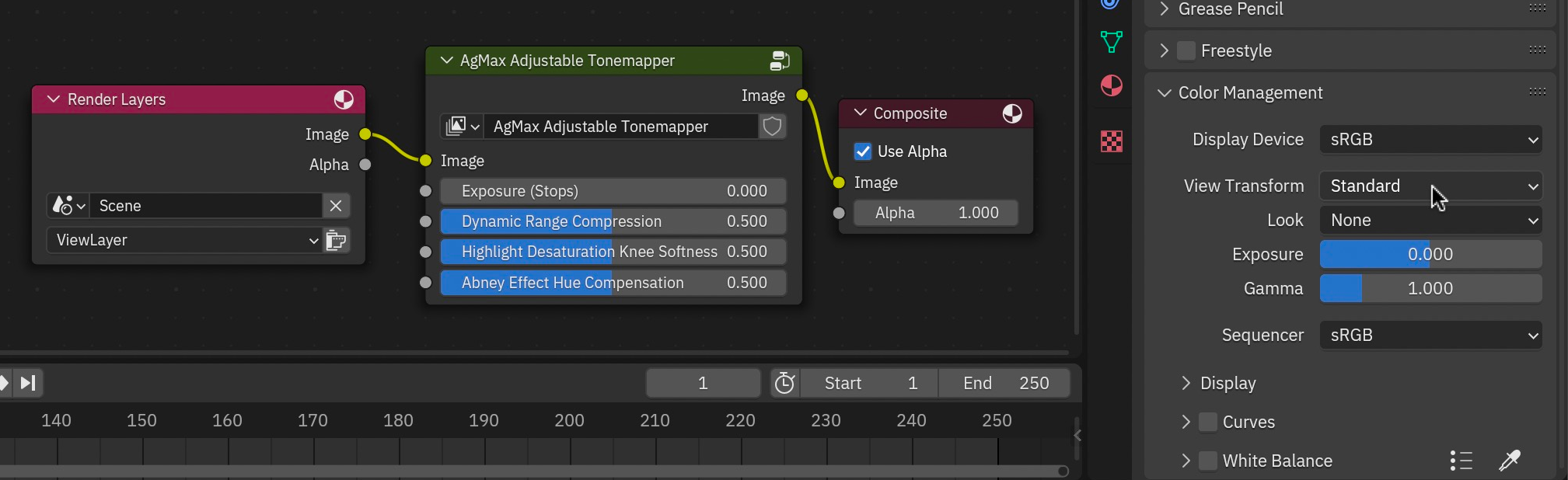
This compositor nodegroup is intended to be used with the View Transform (in the Color Management panel) set to the “Standard” option.
Controls
Exposure (Stops)
Adjusts image exposure in stops (occurs prior to highlight desaturation). Works the same as the Exposure slider in Blender’s Color Management panel.
Dynamic Range Compression
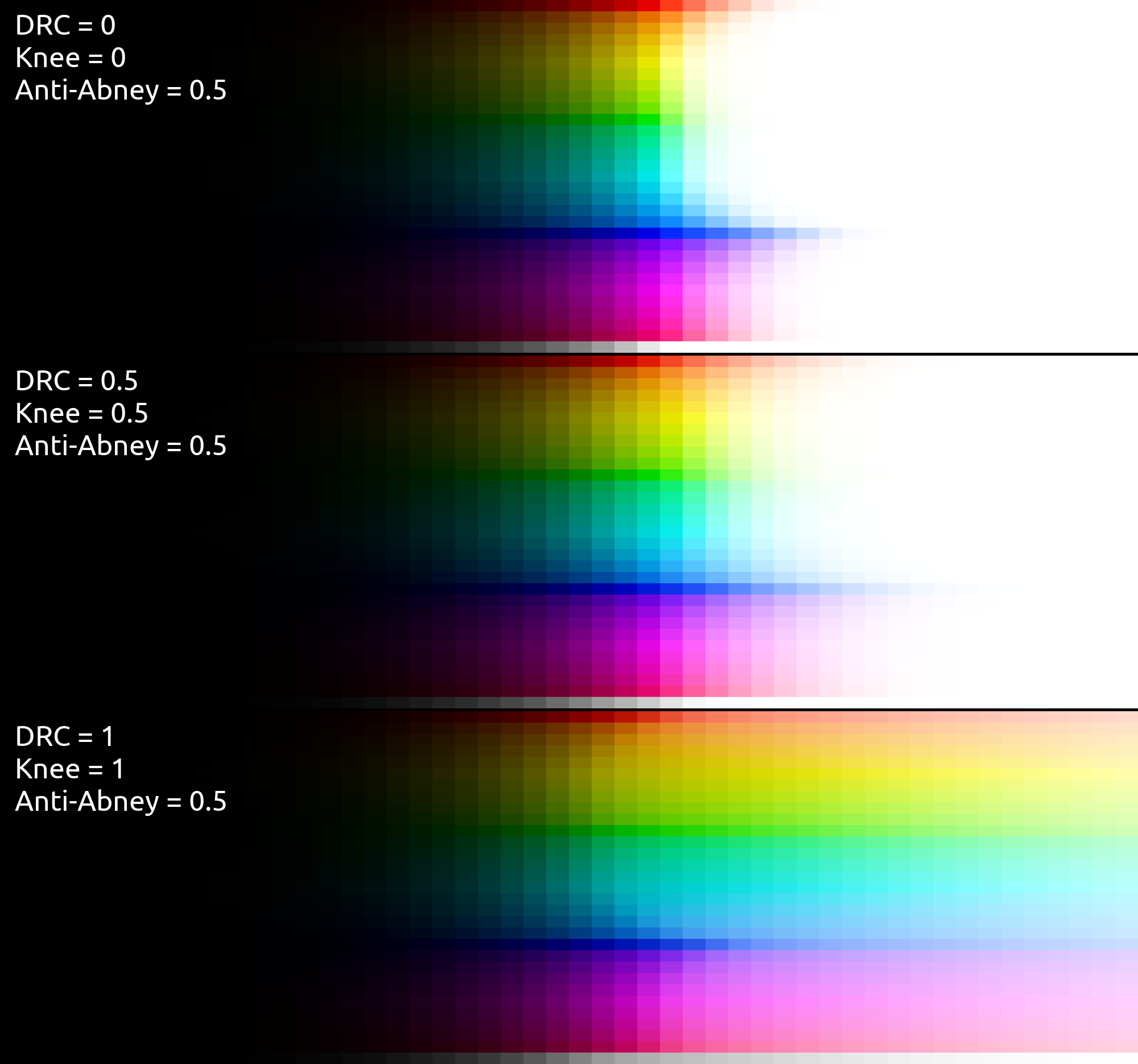
Controls how much the bright parts of the input image are reduced in luminosity to include more highlight detail in the output image. Lower values produce more blown-out highlights, and higher values make a softer, less contrasty, look with more colorful highlights.
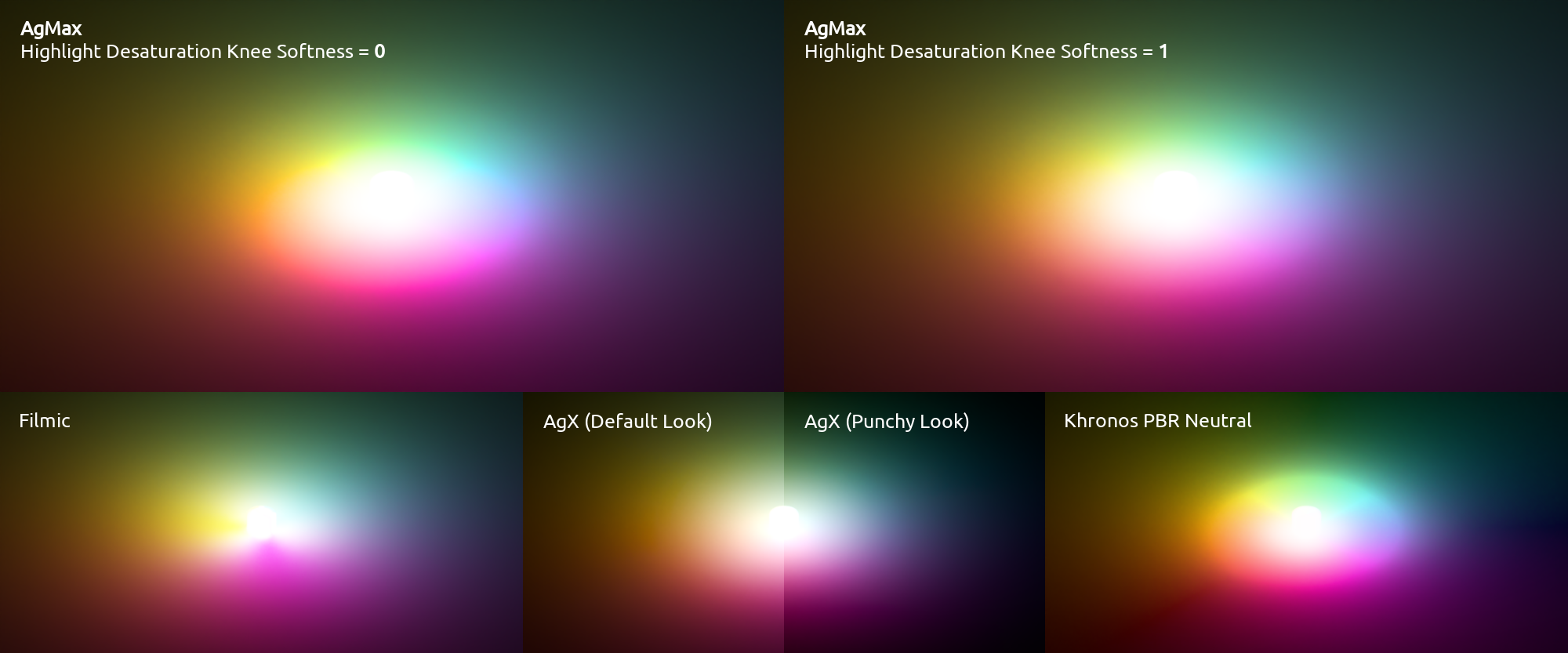
Highlight Desaturation Knee Softness
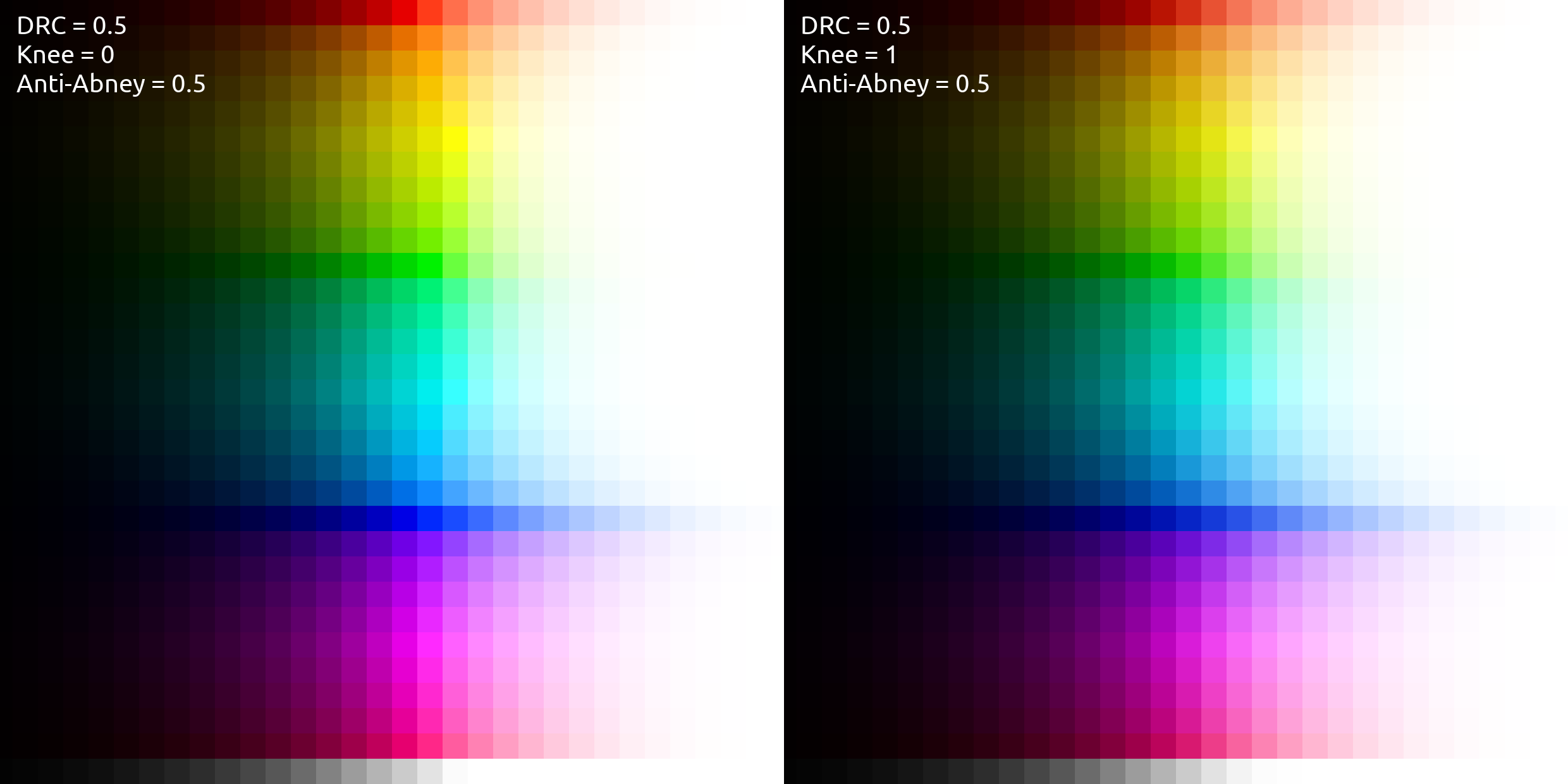
Higher values produce visually smoother highlight desaturation behavior in bright, saturated color gradients—slightly sacrificing maximum saturation.
Abney Effect Hue Compensation
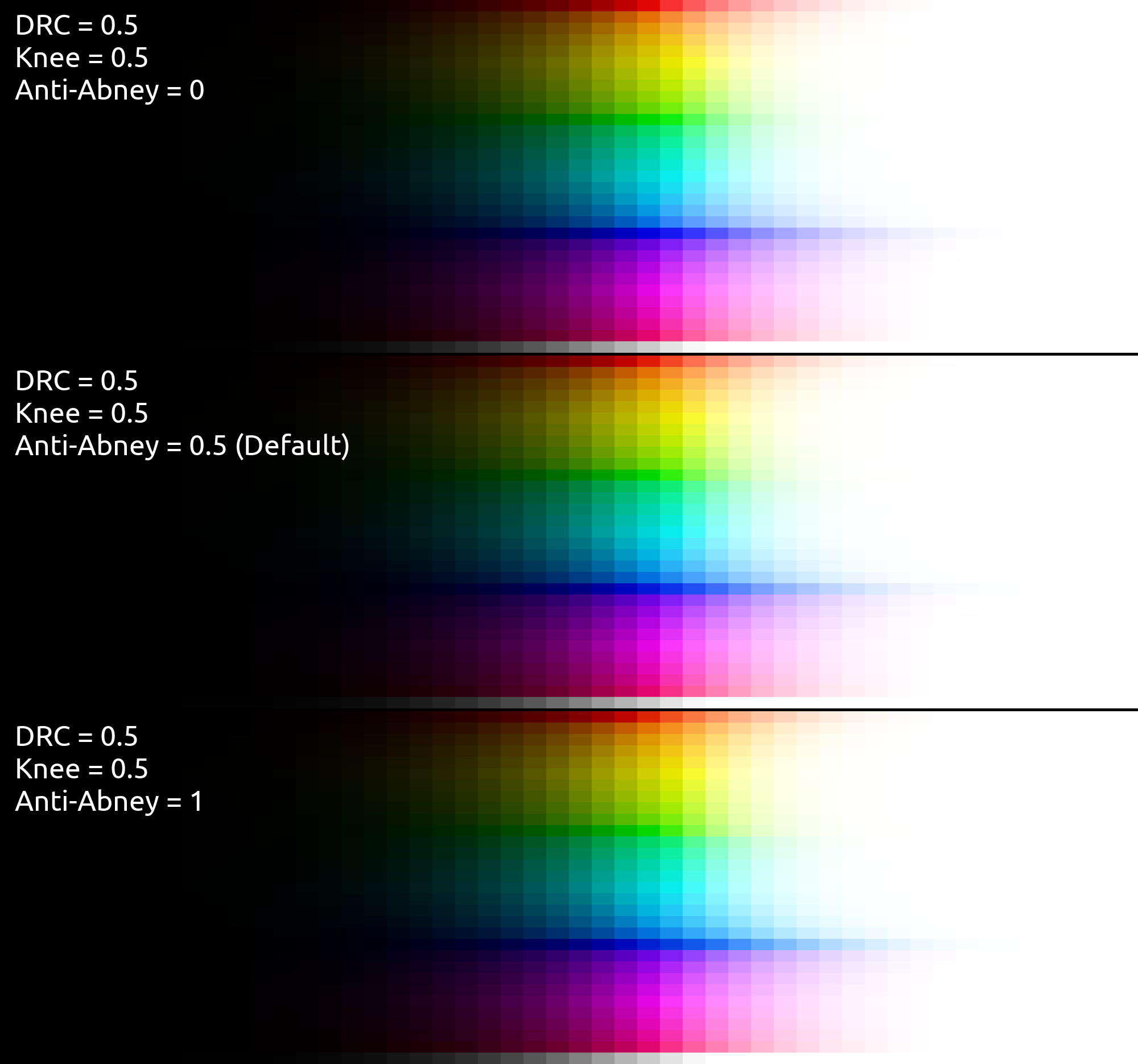
The human eye tends to perceive pure RGB blue as a bit purpley when white is mixed with it, pure RGB red as a bit pinkish when white is mixed with it, and pure RGB green as a bit cyanish when white is mixed with it.
This setting controls the extent to which the hues of these colors get adjusted the more whitening-desaturation gets applied to them, compensating for human visual perception.